The Verkilo workspace
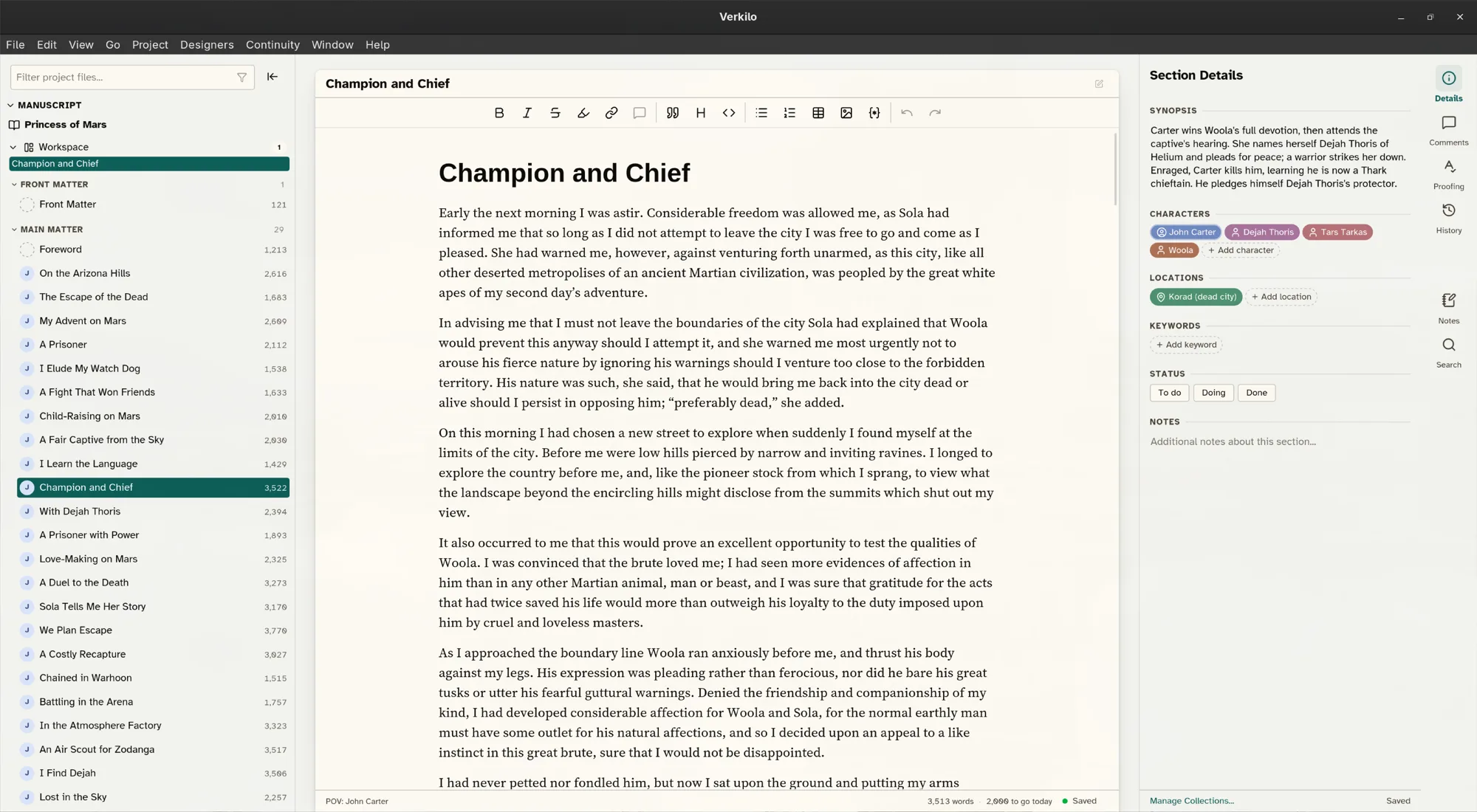
The Verkilo window is built around three areas that stay out of your way until you need them.
The navigator#
On the left, the navigator lists your books and the sections inside them. Drag to reorder, click to open, and use it to move through your manuscript at a glance.
Right-click anywhere in it to reach the actions for whatever you clicked — adding a section, duplicating one, sending one to the trash. Most of Verkilo’s structural commands live in these menus rather than on buttons.
The editor#
The center is the editor — a clean, distraction-light writing surface. This is where you spend most of your time. See The editor for formatting, and Writing modes for a quieter, more immersive page.
The details panel#
On the right, the details panel shows what the current section is connected to: its point-of-view character, the characters and locations it features, and any keywords. Everything here feeds the Series Bible.
The panel holds more than section details. Switch between its tabs to reach:
- Section Details — synopsis, notes, characters, locations, keywords.
- Version History — the snapshots of this section, with a preview and restore.
- Proofing — the spelling and grammar issues found in this section.
- Comments — notes anchored to a passage.
- Scratch Pad — a free-form pad that stays with the project.
- Find & Replace — search this section or the whole book.
Moving around#
Every destination has a number, and they’re all listed under the Go menu:
| Destination | Shortcut |
|---|---|
| Books | ⌘1 / Ctrl+1 |
| Editor | ⌘2 / Ctrl+2 |
| Notebook | ⌘3 / Ctrl+3 |
| Characters | ⌘4 / Ctrl+4 |
| Locations | ⌘5 / Ctrl+5 |
| Keywords | ⌘6 / Ctrl+6 |
| Collections | ⌘7 / Ctrl+7 |
| Bundles | ⌘8 / Ctrl+8 |
| Analytics (your writing history) | ⌘⇧A / Ctrl+Shift+A |
Working in two panes#
To read one scene while writing another:
- Press
⌘\/Ctrl+\, or choose View → Toggle Split Editor. - Right-click a different section in the navigator and choose Open in Split View to load it beside the current one.
- Move between panes with
⌘⌥←/Ctrl+Alt+←and⌘⌥→/Ctrl+Alt+→. - Close the second pane with
⌘⇧W/Ctrl+Shift+W.
Light and dark#
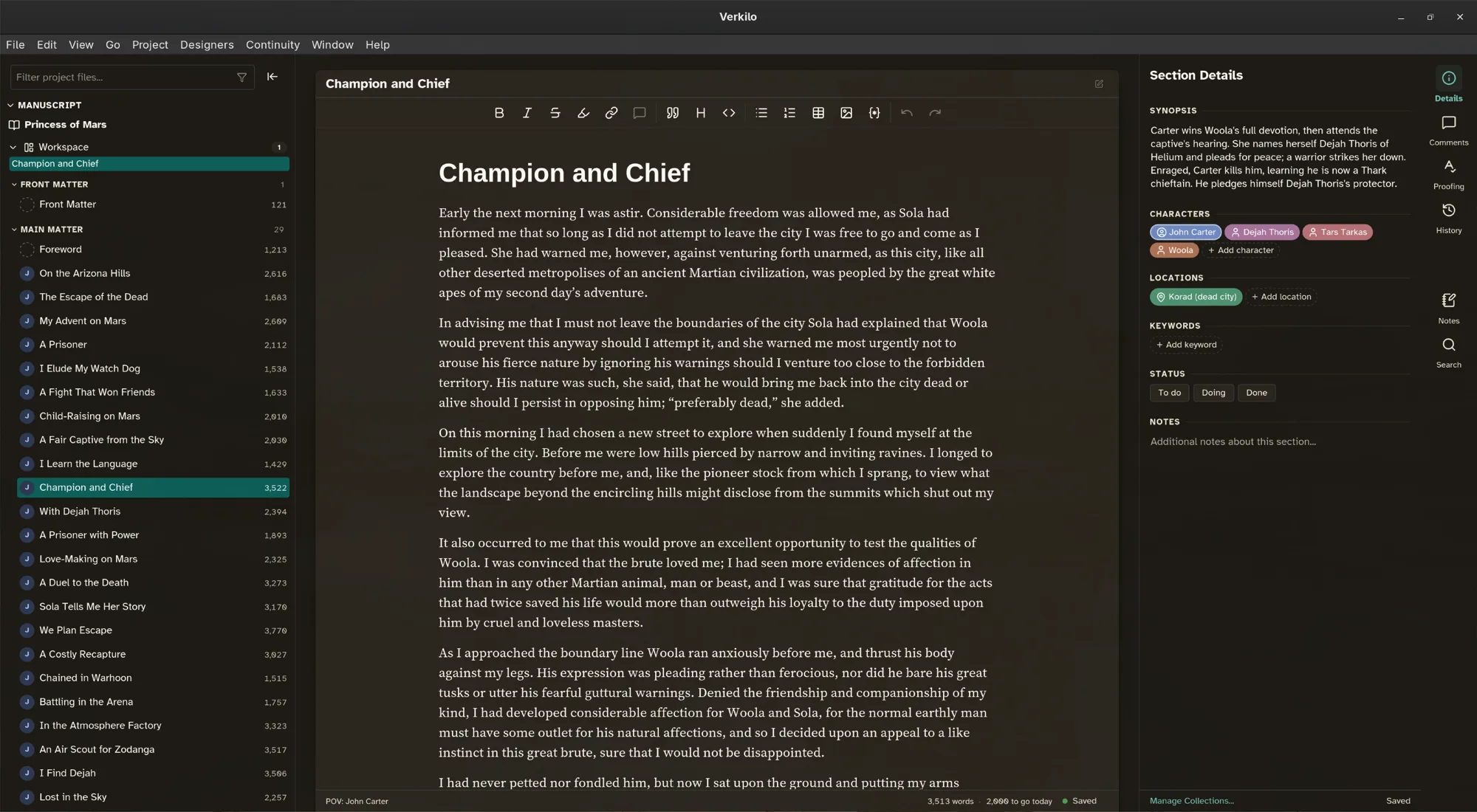
Verkilo follows your system’s light or dark preference and remembers an explicit choice.
- Press
⌘⌥A/Ctrl+Alt+A, or choose View → Cycle Appearance, to step through light, dark, and system. - For a warmer or cooler page, press
⌘⌥T/Ctrl+Alt+T(View → Cycle Background Tint). - To pick a setting directly instead of cycling, open Settings (
⌘,/Ctrl+,) and choose Appearance, where Theme, Contrast, and Background Tint each have their own control.
On macOS, Settings sits in the Verkilo menu; on Windows and Linux it’s at the bottom of the View menu.